Make it yours
- Download the four-card PDF sheet
- Print at actual size on A4 paper
- Cut along the light card borders
- Fill in and double-check the next visit
Send people away with their next appointment clearly written down. Download a clean, printable appointment card sheet with four cards per A4 page.
Free to download No sign-up needed
Managing bookings for your business? Meet Koalendar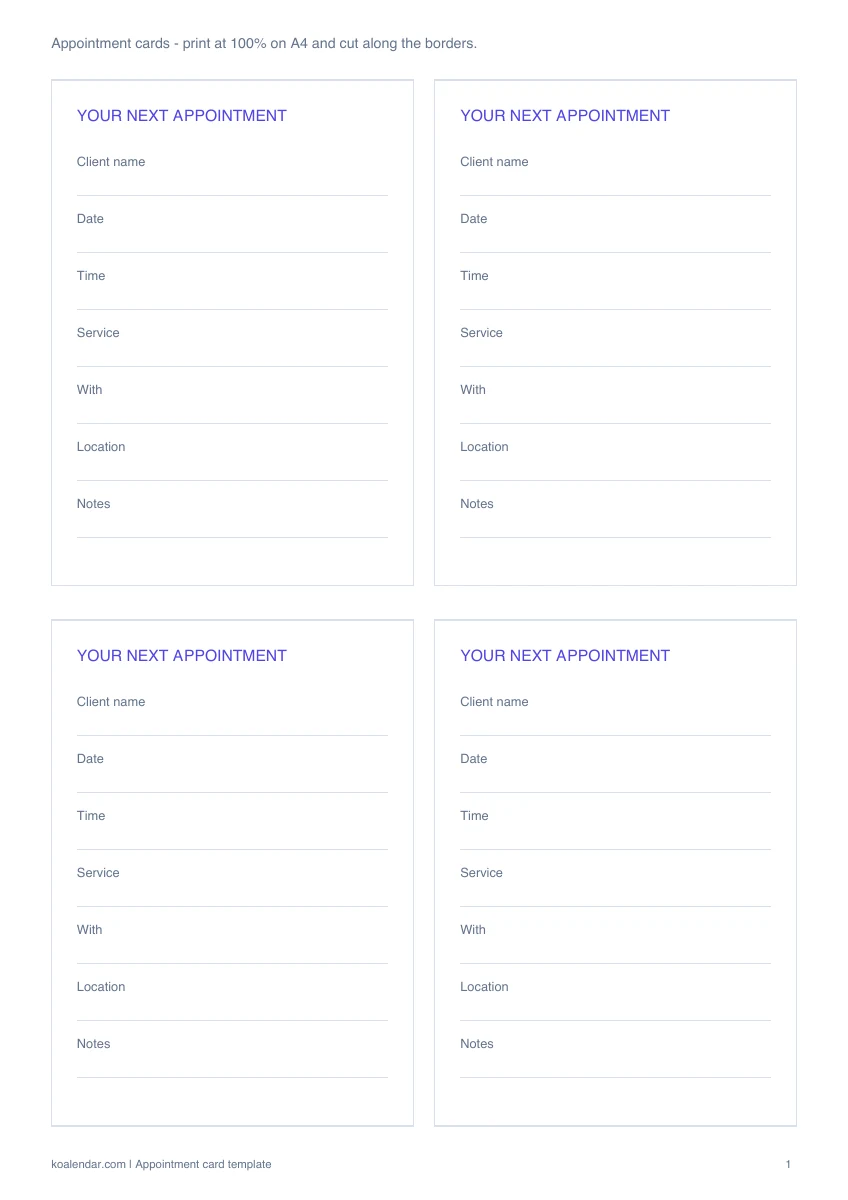 Blank template
 Preview the real download. Start with your own blank copy.
When your schedule grows
Less admin. More time for people.
Use your template for planning. Give people a booking link when you want fewer messages to arrange a time.
| With a manual template | With Koalendar |
|---|---|
Check the calendar before replying | Show available times from connected calendars |
Enter each confirmed booking | People choose a time on your booking page |
Send confirmation messages yourself | Booking confirmations are sent automatically |
Handle time changes through messages | People can use their rescheduling link |
Remember to send a reminder | Schedule reminders on a paid plan |
Free plan available. No credit card needed.
Your next appointment can start with a link.
Create a free Koalendar booking page, set your availability, and let people choose a time that works. Scheduled reminders are available on a paid plan.
Create your free booking page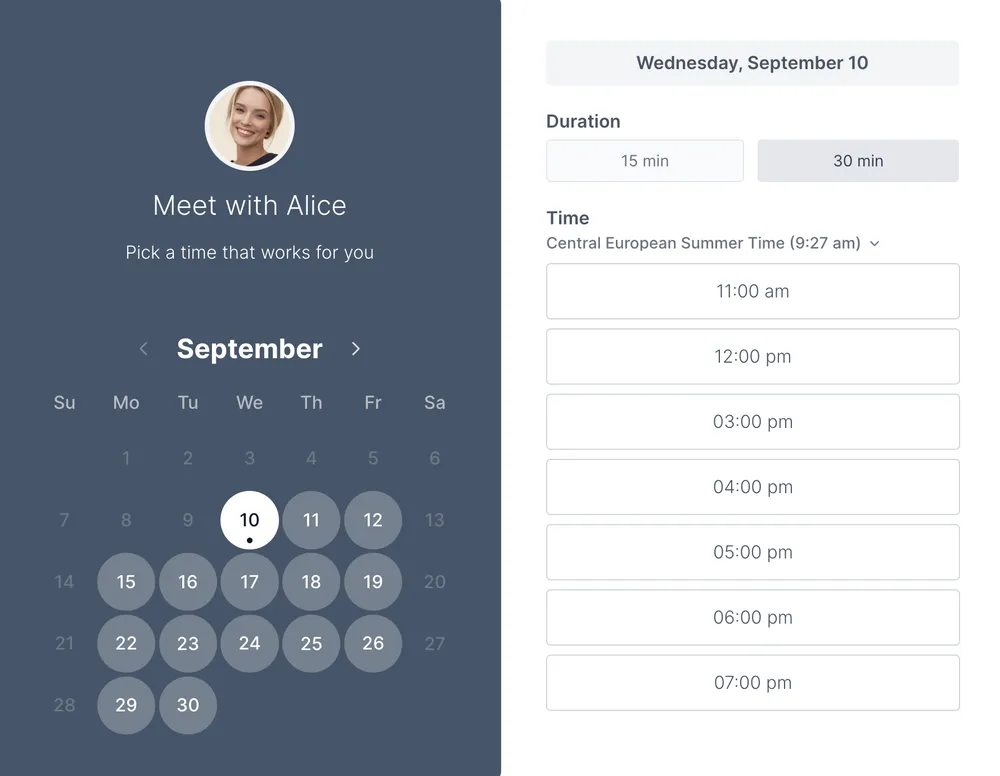
Use these cards at checkout or reception to give someone a clear record of their next visit. Each card has space for their name, date, time, service, staff member, location, and a short note. Print the PDF at actual size and cut along the light card borders.
The PDF contains four blank cards on an A4 sheet. Select actual size or 100% in your print settings; if you use another paper size, preview the page before printing. Use paper your printer supports, cut along the borders, and fill in a new card whenever a booking changes.
An appointment card gives someone a convenient reminder to take away. When a booking changes, the details on the card need to be updated separately.
Koalendar sends booking confirmations and lets people manage changes through their booking link. You can still hand out a card when it helps. Scheduled reminders are available on a paid plan.
Explore appointment reminder software or booking page.
Choosing a format and making the most of your template.
Yes. The template and its listed downloads are free, with no account required. Creating a live Koalendar booking page is a separate step.
The PDF contains four cards on one A4 page. Print at actual size and cut along the light borders.
Yes. The cards have labeled spaces for the client, date, time, service, staff member, location, and notes.
You can use your printer's fit-to-page option, but the cards will change size. Check the preview and make a test print first.
The PDF contains four blank cards on an A4 sheet. Select actual size or 100% in your print settings; if you use another paper size, preview the page before printing. Use paper your printer supports, cut along the borders, and fill in a new card whenever a booking changes.
Send a clear, friendly appointment reminder in seconds. Copy the email or SMS version, personalize the details, and help clients arrive prepared.
Give clients confidence that their appointment is booked. Copy a clear confirmation email with the time, location, and an easy way to make changes.
Make requesting an appointment simple. Download a clean printable form for contact details, service preferences, and two possible appointment times.
A free doctor appointment template to plan visits, prepare questions, and keep follow-up details together in one simple record.