Make it yours
- Review the example booking layout
- Download the setup guide if helpful
- Create a page and set your availability
- Test the booking flow before sharing
Plan a booking page people can use with confidence. Explore a clear layout, download the setup guide, or create your own live page with Koalendar.
Free setup guide Account needed to publish
Managing bookings for your business? Meet Koalendar30 minutes · Video call or studio
Choose a time that works for you
Your details
Example times and fields. Configure your own page in Koalendar.
Plan the experience. Then make it your own.
When your schedule grows
Less admin. More time for people.
Use the guide to plan your page, then give visitors a way to choose a real available time.
| With a planning document | With Koalendar |
|---|---|
Describe possible appointment times | Show your available booking slots |
Collect a request and reply later | Let visitors choose a time themselves |
Write a confirmation after each request | Send booking confirmations automatically |
Change availability in a document | Sync connected calendars |
Plan reminders outside the page | Add scheduled reminders on a paid plan |
Free plan available. No credit card needed.
Your next appointment can start with a link.
Create a free Koalendar booking page, set your availability, and let people choose a time that works. Scheduled reminders are available on a paid plan.
Create your free booking page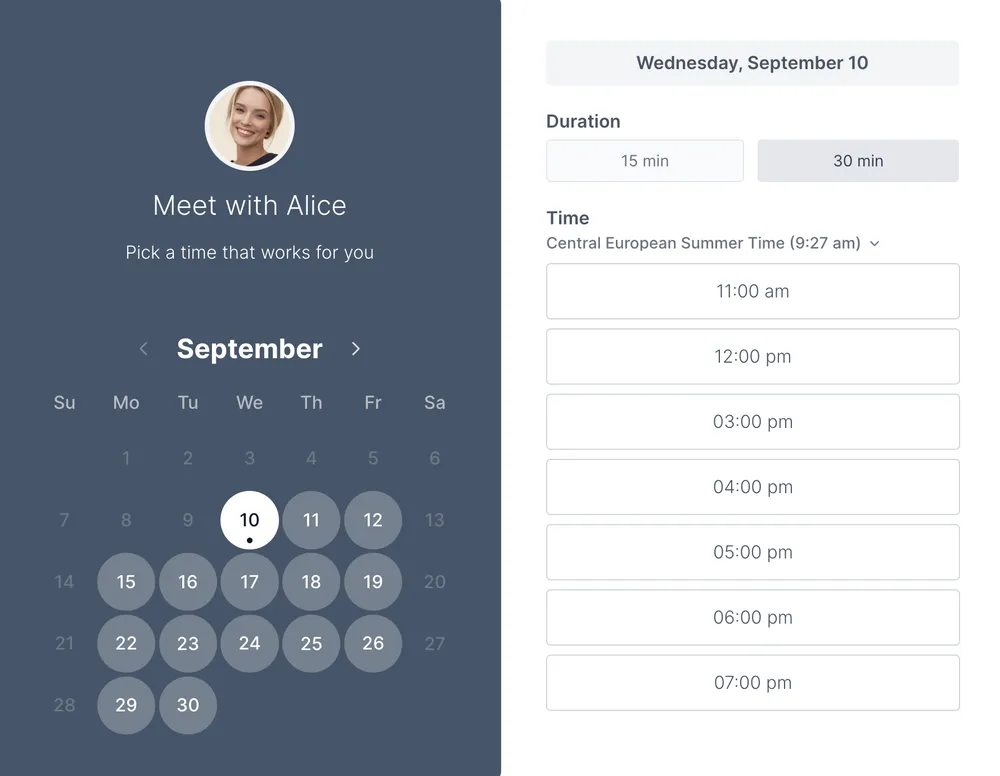
A helpful booking page explains the service, duration, and location before asking someone to choose a time. This example shows that structure, while the PDF guide helps you plan your page title, availability, and questions. The preview is illustrative; your live page is configured in Koalendar.
Create a Koalendar account, connect the calendar you use for appointments, and set the times you want to offer. Add your meeting details, review the booking questions, and share the resulting link. The free plan includes core booking features; some customization and automation features require a paid plan.
The layout and setup guide help you decide what your page should say. The preview does not show live availability or accept reservations.
A Koalendar booking page lets visitors choose from your available times and receive a booking confirmation. Connect your calendar, configure the page, and test it before sharing. Scheduled reminders require a paid plan.
Explore booking page feature or free booking page or embed options.
Choosing a format and making the most of your template.
Yes. The template and its listed downloads are free, with no account required. Creating a live Koalendar booking page is a separate step.
The preview is illustrative. To accept bookings, create a Koalendar account and configure your calendar connection, availability, and meeting details.
The PDF is a page-planning worksheet with space for your service, duration, location, availability, and booking questions. It is not website source code.
The free plan covers core booking features. Scheduled reminders are available on a paid plan. Check the pricing page for the features you need before choosing a plan.
Create a Koalendar account, connect the calendar you use for appointments, and set the times you want to offer. Add your meeting details, review the booking questions, and share the resulting link. The free plan includes core booking features; some customization and automation features require a paid plan.
Turn incoming appointment requests into a clear booking list. Track preferred times, request sources, and confirmations in one free spreadsheet.
Keep open, held, and reserved times easy to tell apart. Download a free booking calendar for Excel, Google Sheets, or a printed weekly overview.
Make arranging a visit easier for patients. Explore a doctor appointment booking-page layout and a practical setup guide for your practice.
Make requesting an appointment simple. Download a clean printable form for contact details, service preferences, and two possible appointment times.