Make it yours
- Review the example booking layout
- Download the setup guide if helpful
- Create a page and set your availability
- Test the booking flow before sharing
Make arranging a visit easier for patients. Explore a doctor appointment booking-page layout and a practical setup guide for your practice.
Free setup guide Account needed to publish
Booking patients for a practice? Meet Koalendar40 minutes · Clinic or telehealth
Choose a time that works for you
Your details
Example times and fields. Configure your own page in Koalendar.
Plan the experience. Then make it your own.
When your schedule grows
Less admin. More time for people.
Use the guide to plan your page, then give visitors a way to choose a real available time.
| With a planning document | With Koalendar |
|---|---|
Describe possible appointment times | Show your available booking slots |
Collect a request and reply later | Let visitors choose a time themselves |
Write a confirmation after each request | Send booking confirmations automatically |
Change availability in a document | Sync connected calendars |
Plan reminders outside the page | Add scheduled reminders on a paid plan |
Free plan available. No credit card needed.
Your next appointment can start with a link.
Create a free Koalendar booking page, set your availability, and let people choose a time that works. Scheduled reminders are available on a paid plan.
Create your free booking page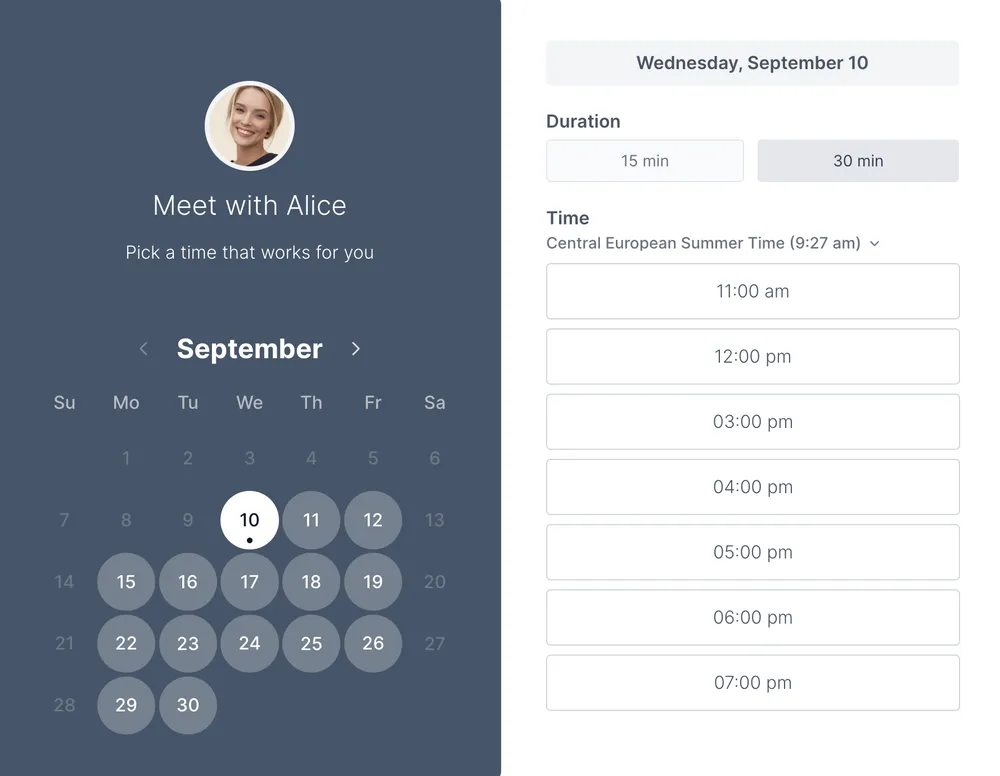
Start with the visit type, appointment length, location, and a simple way to select a time. The example shows an appointment-booking layout, not a complete practice website or patient portal. Use the PDF guide to plan the details you want patients to see before they book.
Use a booking page for scheduling and practical visit information. Collect only the details your practice needs at this stage and use your established process for clinical intake. Configure your availability in Koalendar, test the booking flow, and add the booking link to your practice website when it is ready.
The layout and setup guide help you decide what your page should say. The preview does not show live availability or accept reservations.
A Koalendar booking page lets visitors choose from your available times and receive a booking confirmation. Connect your calendar, configure the page, and test it before sharing. Scheduled reminders require a paid plan.
Explore medical scheduling software or booking page or free booking page.
Choosing a format and making the most of your template.
Yes. The template and its listed downloads are free, with no account required. Creating a live Koalendar booking page is a separate step.
The preview is illustrative. To accept bookings, create a Koalendar account and configure your calendar connection, availability, and meeting details.
The PDF is a page-planning worksheet with space for your service, duration, location, availability, and booking questions. It is not website source code.
The free plan covers core booking features. Scheduled reminders are available on a paid plan. Check the pricing page for the features you need before choosing a plan.
Use a booking page for scheduling and practical visit information. Collect only the details your practice needs at this stage and use your established process for clinical intake. Configure your availability in Koalendar, test the booking flow, and add the booking link to your practice website when it is ready.
A free doctor appointment template to plan visits, prepare questions, and keep follow-up details together in one simple record.
Plan a booking page people can use with confidence. Explore a clear layout, download the setup guide, or create your own live page with Koalendar.
Collect the details needed to arrange a visit. Use a free printable doctor appointment request form for contact information, provider preference, and availability.
Give the front desk a clearer daily plan. Coordinate providers, rooms, visit lengths, and check-ins with a free medical office scheduling sheet.