Make it yours
- Download the Excel workbook or PDF
- Start in the blank Template tab
- Add one reservation per row
- Review times before confirming bookings
Plan conference-room reservations with the details that matter. Record hosts, attendee counts, equipment, and meeting times in a free editable log.
Free to download No sign-up needed
Managing bookings for your business? Meet Koalendar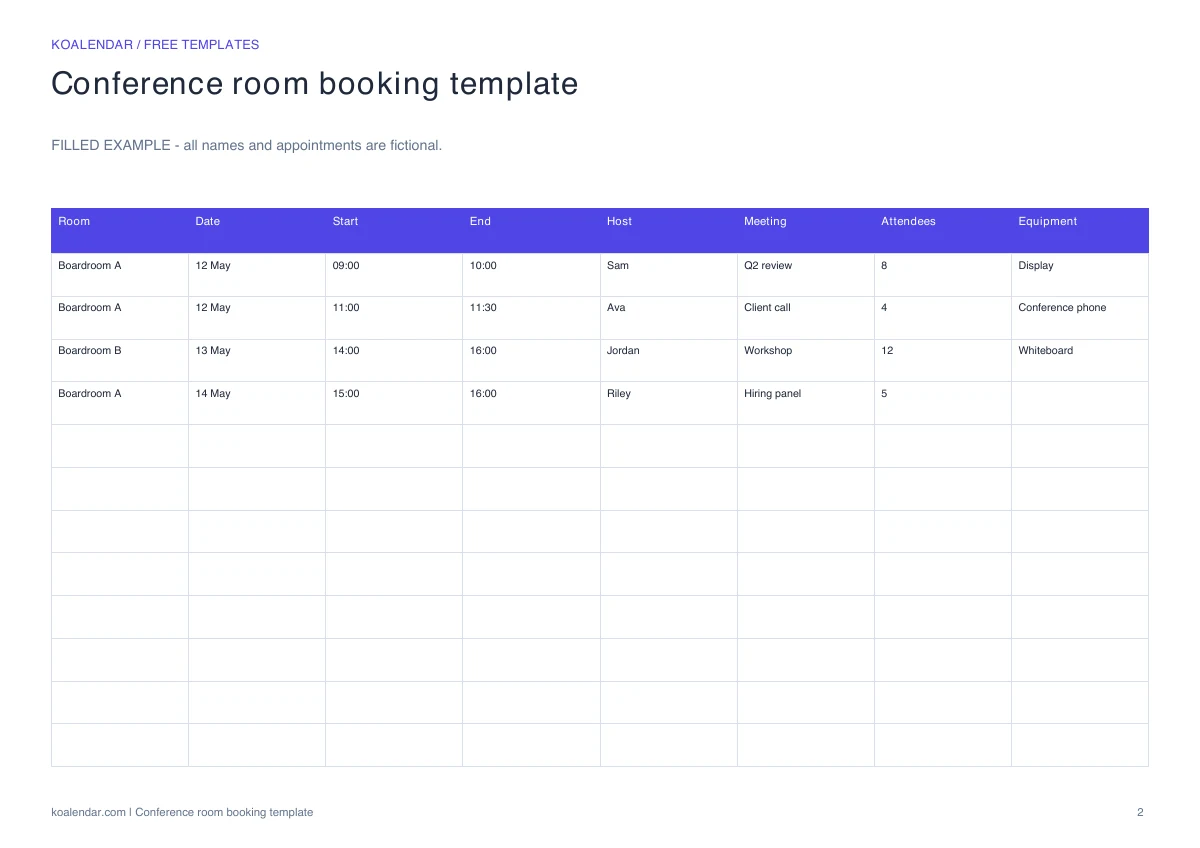 Filled example (fictional details)
 Preview the real download. Start with your own blank copy.
When your schedule grows
Less admin. More time for people.
Keep your room or resource notes in the template. Use a booking page connected to the relevant calendar to coordinate available times.
| With a manual template | With Koalendar |
|---|---|
Check the calendar before replying | Show available times from connected calendars |
Enter each confirmed booking | People choose a time on your booking page |
Send confirmation messages yourself | Booking confirmations are sent automatically |
Handle time changes through messages | People can use their rescheduling link |
Remember to send a reminder | Schedule reminders on a paid plan |
Free plan available. No credit card needed.
Your next appointment can start with a link.
Create a booking page, connect the calendar you use for the room or resource, and configure its available times before sharing the link.
Create your free booking page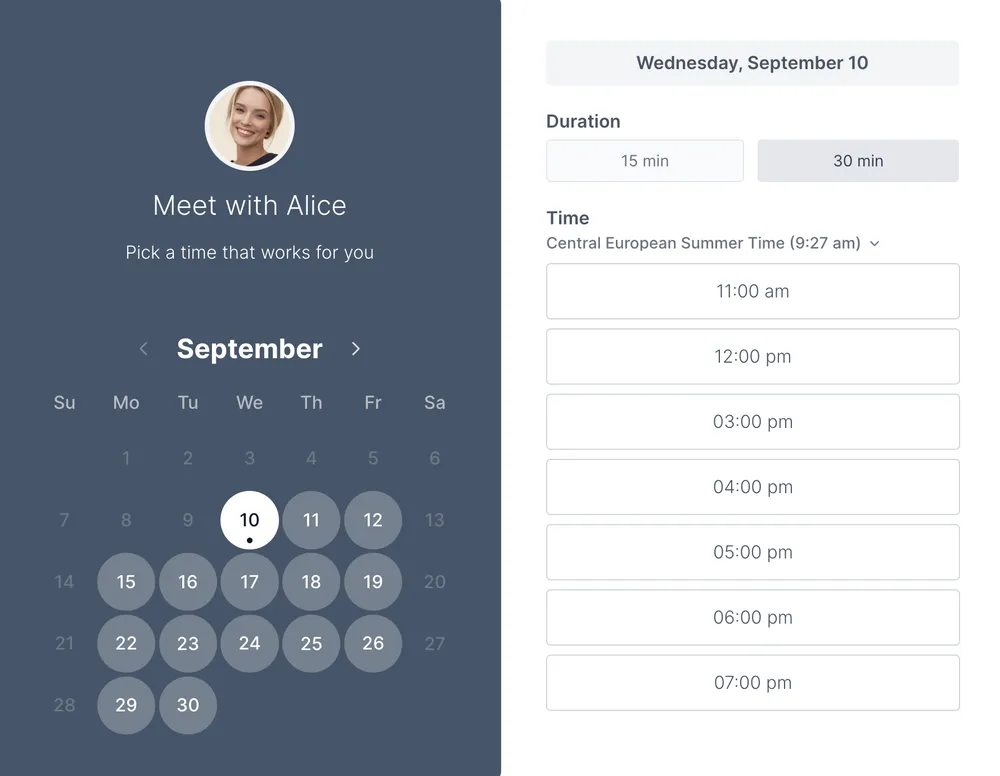
Conference rooms often need more coordination than a quick huddle space. This log puts the room, host, attendee count, and equipment request alongside the start and end times. Use it for board meetings, workshops, and client sessions where the room needs to be ready before people arrive.
Use the equipment column for practical requests such as a display, conference phone, or whiteboard. Give the host a chance to confirm those details before the meeting. This sheet records requirements; it does not reserve equipment or notify a facilities team automatically.
A conference room booking template is clear until two people save different versions. That is how double-booked boardrooms happen.
Use a Koalendar booking page connected to the calendar you use for the room or resource. Configure its availability and check the setup before sharing the link. The spreadsheet remains useful for operational notes; it does not sync with Koalendar.
Explore meeting room scheduling software or resource scheduling glossary.
Choosing a format and making the most of your template.
Yes. The template and its listed downloads are free, with no account required. Creating a live Koalendar booking page is a separate step.
The Excel workbook includes a blank Template tab, a separate Example tab with fictional entries, and a Read me tab. The PDF contains a blank printable page and a separate example. CSV is available for importing the blank table.
Yes. Download the Excel workbook, open Google Sheets, and choose File → Import → Upload. Select the workbook to create your own editable copy. Review formatting and validation after importing.
Yes. Page one of the PDF is blank and ready to fill in. Page two is a worked example. Choose landscape orientation and check the print preview before printing.
Use the equipment column for practical requests such as a display, conference phone, or whiteboard. Give the host a chance to confirm those details before the meeting. This sheet records requirements; it does not reserve equipment or notify a facilities team automatically.
Keep room reservations in one place. Track the room, host, start and end times, and booking status with a free reservation log.
Make the conference-room week easy to scan. Plan longer meetings, workshops, and setup blocks in a free printable weekly schedule.
Know who needs what, and when. Plan shared equipment, rooms, or vehicles with a free resource schedule that records requests and returns.
Show when a meeting room is free, at a glance. Download a printable weekly room schedule with an editable spreadsheet and a filled example.